

The Currency field can store numeric, integer, and float currency amounts. It has an upper limit of 64 digits and 30 decimals for storage.
Values are always stored without thousands separators and other formatting. For instance, a value like “1,203,303.29” would be stored in the database as “1203303.29”.
For plain numbers, you may want to use the Plain Number Field.
Quick Start
- Fill out the Basic Field Settings (Label, Description, and Field Name)
- Select Field Type: Currency.
- Click Save New Field (or Save Field if you’re updating an existing field) to save your field configuration.
Settings
- Input Type
The input type to use for the number. Available options are:- Freeform Number
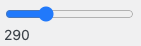
- Slider
- Currency Sign
Choose the currency sign that you want to display. Pods supports over 30 currency signs. You can filterpods_form_ui_field_number_currency_defaultto specify the default currency sign used for creating new fields, or filterpods_form_ui_field_currency_currenciesto add additional currency signs. - Currency Placement
Choose the placement of the currency. Available options are:- Before (ex. $100)
- After (ex. 100$)
- Before with space (ex. $ 100)
- After with space (ex. 100 $)
- None (ex. 100)
- Before with Currency Code after (ex. $100 USD)
- Before with space and with Currency Code after (ex. $ 100 USD)
- Number Format
The format the number will be displayed as. Available options are:- Localized Default
- 1,234.00
- 1234.00
- 1.234,00
- 1234,00
- 1 234,00
- 1’234.00
- Decimals
The number of decimals to allow. The upper limit in the database is 30 decimals. - Decimal handling when zero
When the value is zero, you can choose to display the number differently. Available options are:- Default
- Remove decimals
- Convert to dash (-)
- Slider Increment (Step)
When using the Slider input, this is the increment used for each slider step. - Minimum Number
When using the Slider input or HTML5 Number input, this is the minimum number to require on the input. - Maximum Number
When using the Slider input or HTML5 Number input, this is the maximum number to require on the input. - Maximum Digits
The maximum length of text to allow (default: 12), you can set it to -1 to disable the limit. However, the real upper limit in the database is 64 digits. - Enable HTML5 Input Field
When enabled for a Number input (excluding Slider), this will render the field withtype="number"using the default browser interface. Based on your needs, the browser interface may be a better experience especially for mobile devices. For more details on HTML5 types, you can read the documentation at W3 on Validating Common Input. - HTML Placeholder
This is the text that will show on the input field when it is empty to help guide content entry. The placeholder is not a replacement for labels or description text, and it is less accessible for people using screen readers. For more details on the usage of Placeholder Text, you can read the documentation at W3 on Placeholders.
How to Display
Display with a Shortcode
[pods field="my_currency_field"]
Display with PHP: pods_field_display()
<?php
echo pods_field_display( 'my_currency_field' );
Display with PHP: $pod->display()
<?php
$pod = pods();

echo $pod->display( 'my_currency_field' );